Finally, the anticipation of enthusiastic Windows users will come to an end. Microsoft is set to release Windows 11 officially on coming October 5. Since this new OS is launching after more than six years of the arrival of Windows 10, many of you might be eager to upgrade to it and experience the all-new features and UI it brings.
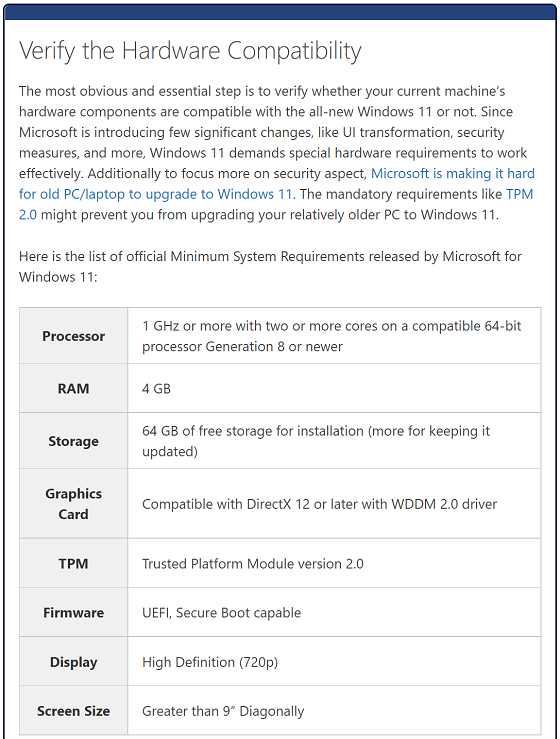
However, considering the past experience of the Windows 10 Updates troubles, it might be a disaster if you try to install Windows 11 without getting your machine prepared for it. After all, this is not just a feature or patch update; it is, in fact, a complete operating system upgrade.
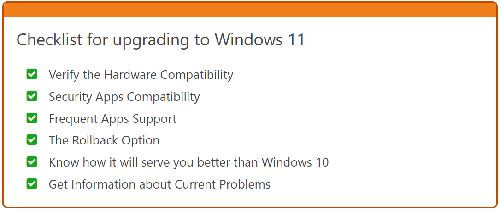
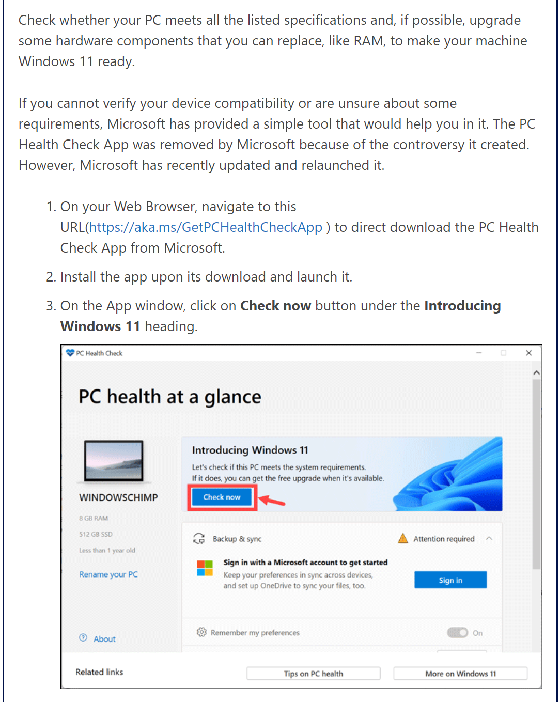
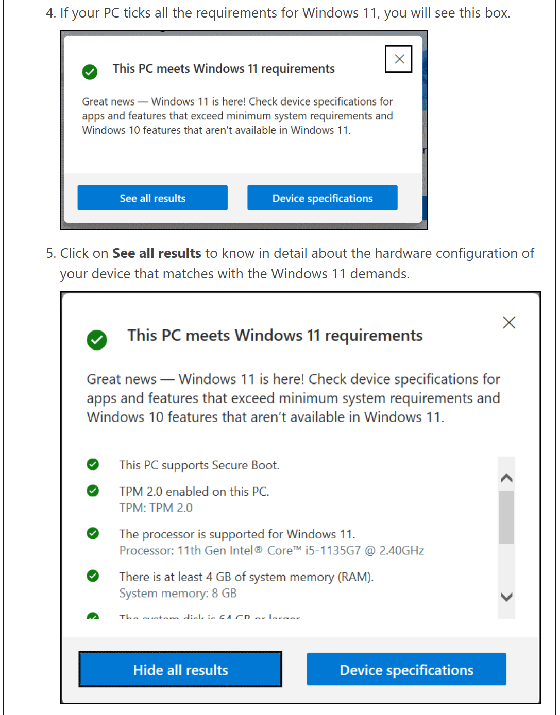
So, if you are intrigued by the news going around of Windows 11 new developments and planning to upgrade to Windows 11 from your current OS, here is a checklist for you to consider before moving any further.
Opinion: Should you switch to Windows 11 instantly?
If you are an avid Windows OS user, all this buzz going around Windows 11 and its features will surely catch your eyes and might intrigue you to try it as soon as you can. But if your machine is already running pretty well on the latest version of Windows 10, should you upgrade to Windows 11 right away?
The simple answer is NO because historically, Microsoft has been known for serving uncooked updates to users. The new Windows updates are mostly harsh on the system and cause multiple issues. It would be a lot better to hold off your eagerness and wait at least a month or two before finally switching from Windows 10, even if you have check-marked all the requirements.
Eventually, you will have to switch to Windows 11 as support to Windows 10 will end in October 2025. However, you don’t have to wait for that much.
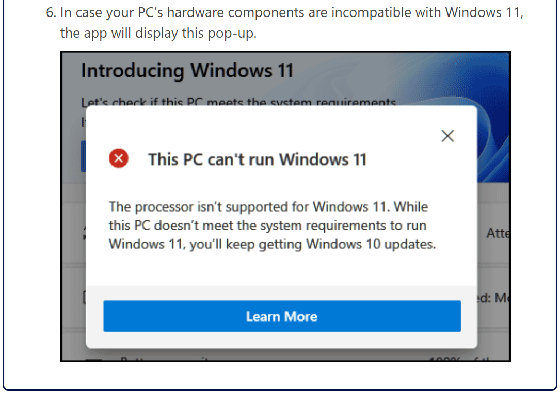
The bottom line is, if your hardware is incompatible and one or more of the options from the checklist is unchecked, you should not (won’t be able to) upgrade to Windows 11. And even if your device is compatible and all the pre-requisites are ticked, you should wait for some time to get knowledge of inevitable bugs and issues of the initial Windows 11 release before getting your hands on it.
source
