 Protect your Gmail account now.
SOPA Images/LightRocket via Getty ImagesUpdate, May 19, 2025: This story, originally published May 18, has been updated with even more advice on securing your Gmail account against the continuing efforts of threat actors to take control of your email and access your confidential data.
You’d be forgiven for thinking that all hope is lost if you are among the 1.8 billion active Gmail users in 2025. After all, headline after headline warns of yet another sophisticated attack attempting to compromise Gmail accounts. Mea culpa, I’m as responsible as anyone for writing such articles, this is another, and there’s a reason for that: Gmail is the most popular free email platform on the planet and is constantly under attack from those who would separate you from your Gmail account to gain access to the valuable data within. That’s just a fact. Another is that, in the overall scheme of things, a minuscule minority of Gmail account holders ever actually lose control to a hacker. Nobody posts online to say their Gmail hasn’t been hacked, after all. I cover the attack methodologies with two distinct purposes in mind: to spread awareness of the threat and to advise users on how to protect themselves from attack. This article focuses firmly on the latter, and it’s remarkably easy to do if you act now, before the hackers can strike.
Putting The Gmail Account Attack Surface In PerspectiveAll email platforms and accounts are targets for cybercriminals, including state-sponsored actors with spying in mind and ransomware groups seeking an easy way into a network. Gmail itself, as I have said many times before, is actually a pretty safe place to be. From ground-breaking large language models trained on phishing, malware and spam emails working hard in the background, to new rules covering strict sender authentication protocols that have had an incredible impact on the amount of potentially malicious spam received by Gmail account holders. Yet attacks do happen, on a daily basis, and Gmail account holders do find themselves compromised. Here’s the thing: you need to be proactive with your security protections, to work alongside the defenses that Google already has in place, to ensure that your email does not fall into the hands of hackers.
Gmail Account Attack Defense Step One — The Google Security CheckupThe
Google Security Checkup is number one on the Gmail account hacker defense list as it represents the most efficient way to ensure that a number of security protections are in place by checking what you already have and don’t have activated. Everything from two-factor authentication status to email forwarding activations and safe browsing controls is covered. Best of all, it is automatic, as soon as you land on the security checkup page, all the details have already been compiled and are waiting for you in an easy-to-use checklist format.
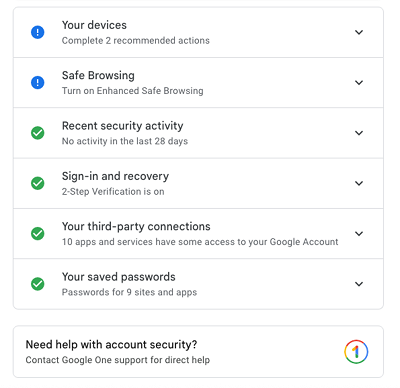 Take the Google Account Security Checkup now.
Google/Davey WinderGmail Account Attack Defense Step Two — Advanced Protection Program‘I’m sticking with making it as easy as possible to protect your Gmail account by rolling as many defenses up in one strategic action, and recommending you enroll in Google’s Advanced Protection Program. There are myriad reasons for making this recommendation, but essentially it’s down to Google ensuring additional checks are made that help prevent even the most determined hackers from gaining access to your Gmail account. This includes everything from additional blocks on potentially harmful downloads, restricting most non-Google apps from accessing data from your Gmail account, and imposing additional steps into the account recovery process to prevent sophisticated attackers from using this method of taking control.
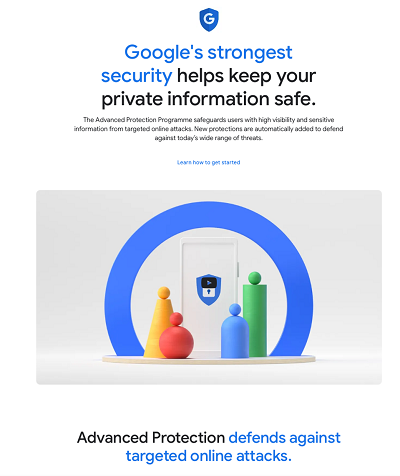 Google's Advanced Protection Program is a must for Gmail users.
GoogleGmail Account Attack Defense Step Three — Use A PasskeyThis one really should be a non-brainer: stop using passwords and switch to a passkey to protect your Gmail account. “Google research has shown that security keys provide a stronger protection against automated bots, bulk phishing attacks, and targeted attacks than SMS, app-based one-time passwords, and other forms of traditional two-factor authentication,” Google’s Gmail spokesperson, Ross Richendrfer, told me. And he’s not wrong, switching to a passkey really does make your Gmail account infinitely more robust against the most common hack attack tactics. Better yet, you can use your passkey in combination with the Advanced Protection Program. Whenever you sign into a device for the first time with your Google account you will need your passkey. A hacker, even one with your username and password, can’t sign in unless they have your passkey, which means access to the device it is on and your biometrics to open it. “Passkeys give high-risk users the option to rely on the ease and security that comes with using personal devices they already own,” Shuvo Chatterjee, the product lead of Google’s Advanced Protection Program, said.
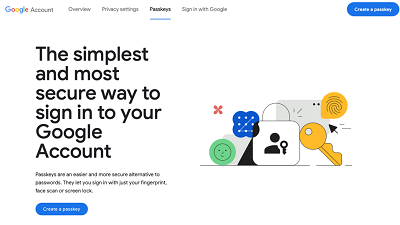 Create a Gmail Account passkey. GoogleTwo More Gmail Account Protections To Employ
Working on the basis that the more you know, the more you can do and the better you will be protected, here are two more steps you can take to help secure your Gmail account from attackers.
Gmail Account Attack Defense Step Four — Use The AppAs attackers continue to exploit novel methods to trap Gmail users, and this is especially true when it comes to those whose threats start with phishing campaigns, using the Gmail smartphone app could be your best defensive bet. One of the tactics employed by social engineers is to use edited mouseover text in what is known as a link-hovering attack. Users are warned that they should verify the URL to determine where a link will actually direct them, but doing so does not guarantee security one little bit. By editing the mouseover text, an attacker can make it look like the link is taking you to the right place. This works on web browser clients as the real URL is shown at the bottom of the screen, with the edited text next to the hovered link. Using the Gmail app doesn’t have this shortcoming. “Gmail blocks more than 99.9% of spam, phishing attempts, and malware from reaching you,” a Google spokesperson said. “As part of our AI-based protections, Gmail takes into account link obfuscation methods when classifying messages.”
Gmail Account Attack Defense Step Five — Check Your Account ActivityThe increasingly sophisticated methods being employed by threat actors, especially when it comes to phishing, where AI-driven campaigns are now the norm rather than the exception, demand that users do two vital things to better protect their Gmail accounts in the face of such attacks. As most, if not all, of these phishing attacks will be very convincing from the get go and employ urgency tactics to try and get a knee-jerk fear reaction from the victim, it’s essential that the first thing you do is take a deep breath and count to 10 if you find yourself being pressurised in this way. I know, that’s easier said than done, but you can get into the habit of taking your time by counting to 10 before taking any action as a result of an email or telephone call. What’s that ten seconds going to cost you? Nothing. Yet, this could provide you with protection that is more valuable than anything. Secondly, as many of these attempts will convince you that your Gmail account is under active attack, and the hacker in question is trying to change your password or 2FA options, hence the urgency, check your account yourself. Check your Gmail activity to see what, if any, devices other than your own have been using the account. I’m willing to bet the answer will be a big fat zero.
Don’t let Gmail account hackers get the upper hand; be proactive, establish your defenses now, and continue to use the most popular email platform with less risk.
source
