Last Time, we take up encrypting and adding password to usb stick for security in Windows 7 using BitLocker To Go feature. Overall, the utility is very useful but unfortunately it will not be included in the Home Premium Editions of Windows 7. Better go to the Ultimate version to get this function.
Anyway, How to Turn-Off the Encryption afterwards?
Quick Information: BitLocker Drive Encryption is a security in Windows 7 Ultimate and Enterprise edition designed to help protect data from being accessed or opened by unauthorized users.
Unlocking the Encrypted DriveSimply type “BitLocker” in Start Menu Search

and Open the BitLocker Drive Encryption Program

Once it opens, just find the drive and click "Turn Off BitLocker”

It will ask for a confirmation: “Your drive will be decrypted. This may take considerable time. You can monitor the status of your drive decryption.”
Just proceed by clicking Decrypt Drive
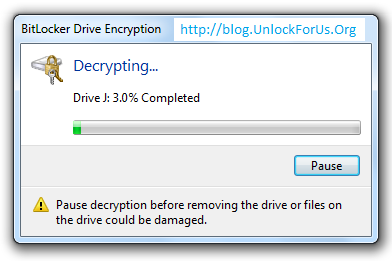
Wait… wait… wait

That’s it…
Enjoy!

