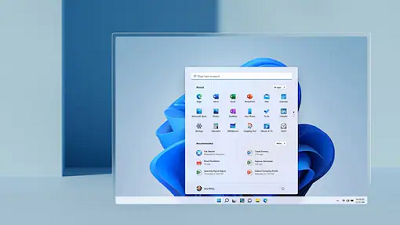
 There’s considerable chatter sprinkled with a generous dose of skepticism that Windows 11 may not run on all desktops and laptops that already have Windows 10 installed. It stems from the minimum requirements that Microsoft shared for systems that can run Windows 11, and the specific focus on something called TPM 2.0, or Trusted Platform Module, which we have tried to explain here in detail. Simultaneously, the PC Health Check app has also indicated false negatives on many PCs, suggesting incompatibility with Windows 11. Microsoft has acknowledged issues, is pulling the under-prepared PC Health Check app, and has promised to reconsider the minimum system requirements needed for PCs, to be able to run Windows 11 when it rolls out later this year. Windows 11 is the biggest update the OS has received, in years, and the first test build has now rolled out for developers. There is confirmation that the PC Health Check app is indeed being taken off for the time being, and the tech giant says some work needs to be done before it can reach the intended level of detail or accuracy that users would expect. “Based on the feedback so far, we acknowledge that it was not fully prepared to share the level of detail or accuracy you expected from us on why a Windows 10 PC doesn’t meet upgrade requirements,” says Microsoft, in an official post. They confirm that this is a temporary removal of this app and it’ll be available again before Windows 11 releases later this year. “We are temporarily removing the app so that our teams can address the feedback. We will get it back online in preparation for general availability this fall,” they say. The requirement for a security hardware chip on PCs for Windows 11 to install and run successfully, has meant that PCs that still run the 7th generation Intel Core processors or indeed the AMD Zen 1 chips may be kept out. That is because they do not have TPM 2.0 enabled. This means that assuming Windows 11 will run on all PCs that already have Windows 10 installed and running successfully, would be fallacious. A reconsideration may very well be underway. “As we release to Windows Insiders and partner with our OEMs, we will test to identify devices running on Intel 7th generation and AMD Zen 1 that may meet our principles,” says Microsoft. The minimum hardware requirements for Windows 11 PCs to be able to run the new OS, albeit after sacrificing some functionality in case you’re just meeting the baseline, including a 1GHz processor, at least 4GB RAM, and at least 64GB storage. The system firmware needs to be UEFI and Secure Boot capable, while the graphics card, whether integrated or discreet, needs to be compatible with DirectX 12 or later. Computing devices with screen sizes smaller than 9-inches and resolutions less than 720p will not be compatible with Windows 11. These are the larger system requirements that need to be ticked off. There are further feature-specific requirements, that will dictate whether you can run certain Windows 11 functionality or not. For instance, 5G connectivity will require a built-in 5G modem, something we have seen off late with laptops that have built-in SIM slots for LTE connectivity. For Auto HDR for videos and gaming, the display will need to be HDR capable. The Snap three-column layouts for multi-tasking require a display with at least 1920 pixels in width. The Presence functionality will ask for a sensor that can detect human distance from the device or intent to interact with the device while Microsoft Teams calls will need a video camera, microphone, and speaker for audio output. Stay on top of this reconsideration by visiting OUR FORUM often.  The HDMI standards are a mess. HDMI 2.1, in particular, is a uniquely frustrating mess, with haphazard support among TV manufacturers, cable makers, and devices that make setting up, say 120Hz gaming on a PS5 or Xbox Series X a uniquely harrowing experience. Fortunately, the HDMI Forum is swooping in ahead of CES with its latest revision to the HDMI specification stack, HDMI 2.1a, which is here to make everything better and simpler.... I’m kidding, of course. It’s gonna make things more complicated. It’s a new HDMI standard, what on earth did you expect? Let’s start with the good: HDMI 2.1a is an upcoming revision to the HDMI 2.1 stack and adds a major new feature, Source-Based Tone Mapping, or SBTM. SBTM is a new HDR feature that offloads some of the HDR tone mappings to the content source (like your computer or set-top box) alongside the tone mapping that your TV or monitor is doing. SBTM isn’t a new HDR standard — it’s not here to replace HDR10 or Dolby Vision. Instead, it’s intended to help existing HDR setups work better by letting the content source better optimize the content it passes to the display or by removing the need to have the user manually calibrate their screens for HDR by having the source device configure content for the specific display. Other use cases could be for when there’s a mix of content types, like for streamers (who could have an HDR game playing alongside a window of black and white text), displaying each area of content. The HDMI Forum does note that it’ll be possible for set-top boxes, gaming companies, and TV manufacturers to add support through firmware updates for HDMI 2.1a and its source-based tone mapping “depending upon their design.” Given the usual trajectory of TV spec updates, though, it seems virtually guaranteed that in the majority of cases, users won’t be getting the new features until they buy a new TV that supports HDMI 2.1a right out of the box (which, as of now, is precisely zero of them, given that the spec has yet to be fully released). Now here’s the bad: like every other unique HDMI 2.1 feature, including variable refresh rates, automatic low latency connections, and the bandwidth necessary to offer things like 10K resolution or 120Hz refresh rates, SBTM will be an optional feature that manufacturers can support — but not something that they’re required to support. That’s because the HDMI Forum and HDMI Licensing Administrator (the two organizations that define and license out HDMI standards, respectively) run the standards as a set that contains all the previous standards. As TFTCentral explains, according to the HDMI Licensing Administrator, now that HDMI 2.1 exists, there is no HDMI 2.0 standard anymore: all new HDMI 2.0 ports should be lumped into the HDMI 2.1 branding, despite not using any of the new features included in the “new” 2.1 standards. Follow all CES 2022 threads on OUR FORUM.  DuckDuckGo takes aim at Google Chrome but insists it isn't going to fork Google's Chromium project upon which Chrome, Edge, and others are built. Privacy-focused search engine DuckDuckGo has offered a first look at its forthcoming desktop "browsing app" that promises simple default privacy settings. DuckDuckGo CEO Gabriel Weinberg details its desktop browser in a blog post recapping its milestones for 2021, including 150 million downloads of its all-in-one privacy apps for iOS and Android, and Chromium extensions. Weinberg attempts to distinguish the DuckDuckGo desktop browser from the likes of Chromium-based Brave and Mozilla Firefox by arguing it is not a "privacy browser". Instead, it's just a browser that offers "robust privacy protection" by default and works across search, browsing, email, and more. "It's an everyday browsing app that respects your privacy because there's never a bad time to stop companies from spying on your search and browsing history," writes Weinberg. Weinberg offers a few clues about the internals underpinning the DuckDuckGo desktop browser or "app" as he calls it, but also leaves out a lot of details. He says it won't be based on Chromium, the open-source project underpinning Google Chrome, Microsoft Edge, Brave, Vivaldi, and about 30 other browsers. "Instead of forking Chromium or anything else, we're building our desktop app around the OS-provided rendering engines (like on mobile), allowing us to strip away a lot of the unnecessary cruft and clutter that's accumulated over the years in major browsers," explains Weinberg. It's not clear what desktop OS-provided rendering engines he's referring to but it's not a trivial task to build a desktop browser without Chromium's Blink rendering engine. Just ask Microsoft, which launched its Chromium-based Edge browser last year. Apple meanwhile uses WebKit for Safari on desktop and requires all non-Safari browsers on iOS, including Chrome, to use WebKit for iOS. ZDNet has asked DuckDuckGo for clarification, but DuckDuckGo's communications manager Allison Johnson has provided some details to The Verge about the rendering engines. "macOS and Windows both now offer website rendering APIs (WebView/WebView2) that any application can use to render a website. That's what we've used to build our app on the desktop," said Johnson. Microsoft's implementation of WebView2 in Windows allows developers to embed web technologies such as HTML, CSS, and JavaScript in native Windows apps. WebView2 on Windows uses Microsoft Edge as the rendering engine to display websites in those apps. "We're building the desktop app from the ground up around the OS-provided rendering APIs. This means that anything beyond website rendering (e.g., tabs & bookmark management, navigation controls, passwords, etc.) we have to build ourselves," said Johnson. So, the DuckDuckGo browser rendering will rely on Edge/Chromium for Windows, and Safari/Webkit on macOS, The Verge notes. Johnson highlighted that approach isn't forking Chromium. A clear example of forking a project is Google's creation of Blink, where it used the open-source code behind the WebKit rendering engine (that Google and Apple had previously maintained), and then built its own web-rendering engine for Chromium. However DuckDuckGo releases its new desktop browser, Weinberg assures that "compared to Chrome, the DuckDuckGo app for desktop is cleaner, way more private, and early tests have found it significantly faster too!" Follow this and more by visiting OUR FORUM. |
Latest Articles
|